Security & Workspace
Password Vault
Overview
Share credentials securely – without a spreadsheet.
Store social media, platform and financial logins with client-side encryption, with 2FA codes, targeted sharing with staff, secure share links and a tamper-evident audit log.
See Password Vault live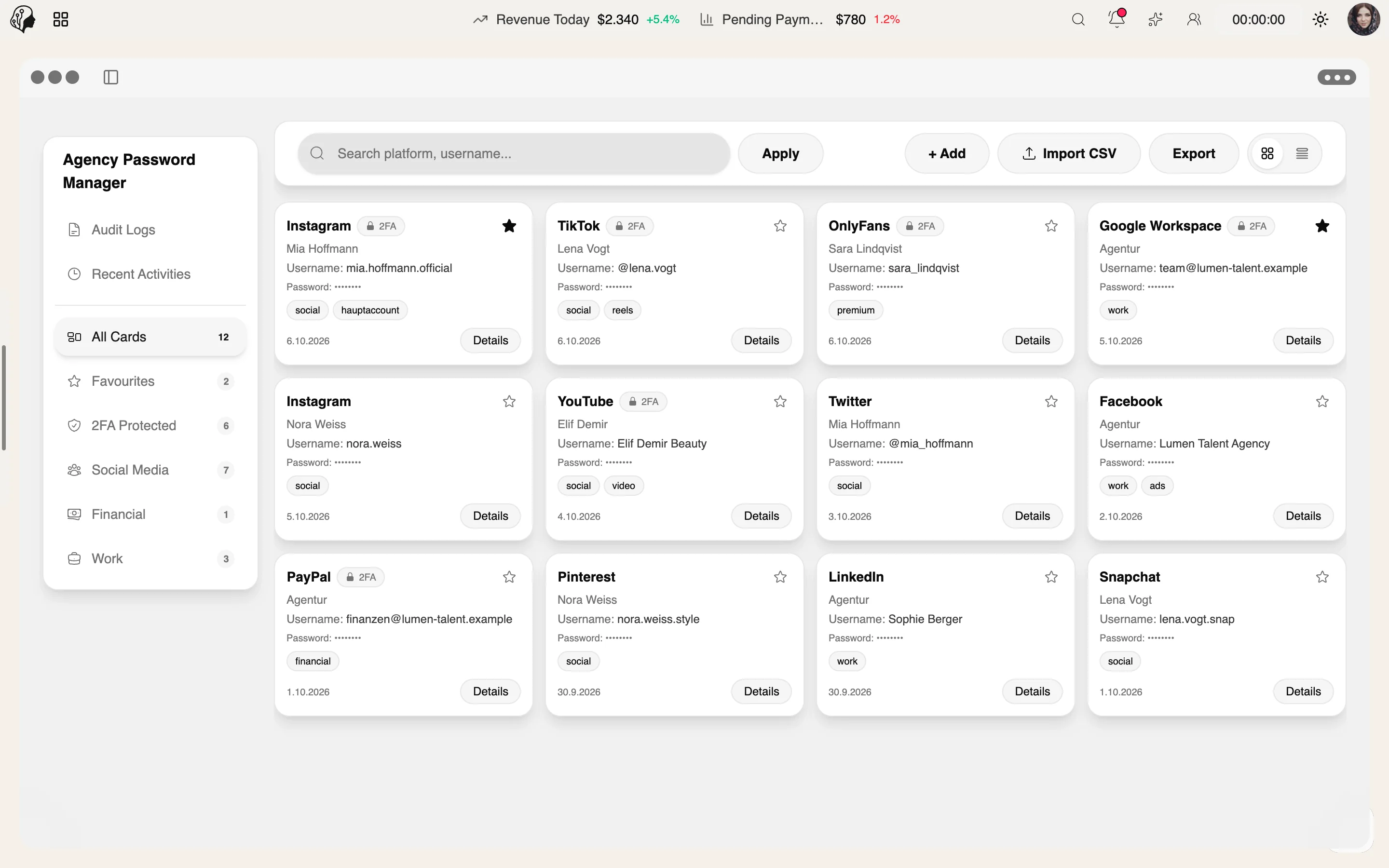
4 features
In detail
What the module does, point by point.
- 01
Client-Side Encryption
The server stores only ciphertext.
- 02
Built-In 2FA
TOTP codes for authenticator apps, right on the entry.
- 03
Permissions & Sharing
Per person or platform; share links can be revoked.
- 04
Audit Log
Every access logged – with integrity checks.
How the Password Vault works
Three steps · no spreadsheet
- 01
Store
Save social media, platform and financial logins – encrypted client-side, with the 2FA code right on the entry.
- 02
Share
Grant access to staff per person or platform, or via a secure share link.
- 03
Trace
Every access is recorded in the audit log – with integrity checks.
Questions about the Password Vault
Can the server read my passwords?
No. Encryption happens client-side; the server stores only ciphertext.
How do the 2FA codes work?
TOTP codes for authenticator apps appear right on each entry, so login and code live in one place.
Can I revoke access?
Yes. Permissions are set per person or platform, and share links can be revoked at any time.
Can I see who accessed what?
Yes. The audit log records every access and is tamper-evident thanks to integrity checks.
By Invitation
Experience ModelSuite
A personal tour of the platform – tailored to your agency