Team & Operations
Support Team
Overview
The right point of contact for every model.
A directory of your support team with departments, languages, time zones and availability – assigned to models, who find their contacts in the portal.
See Support Team live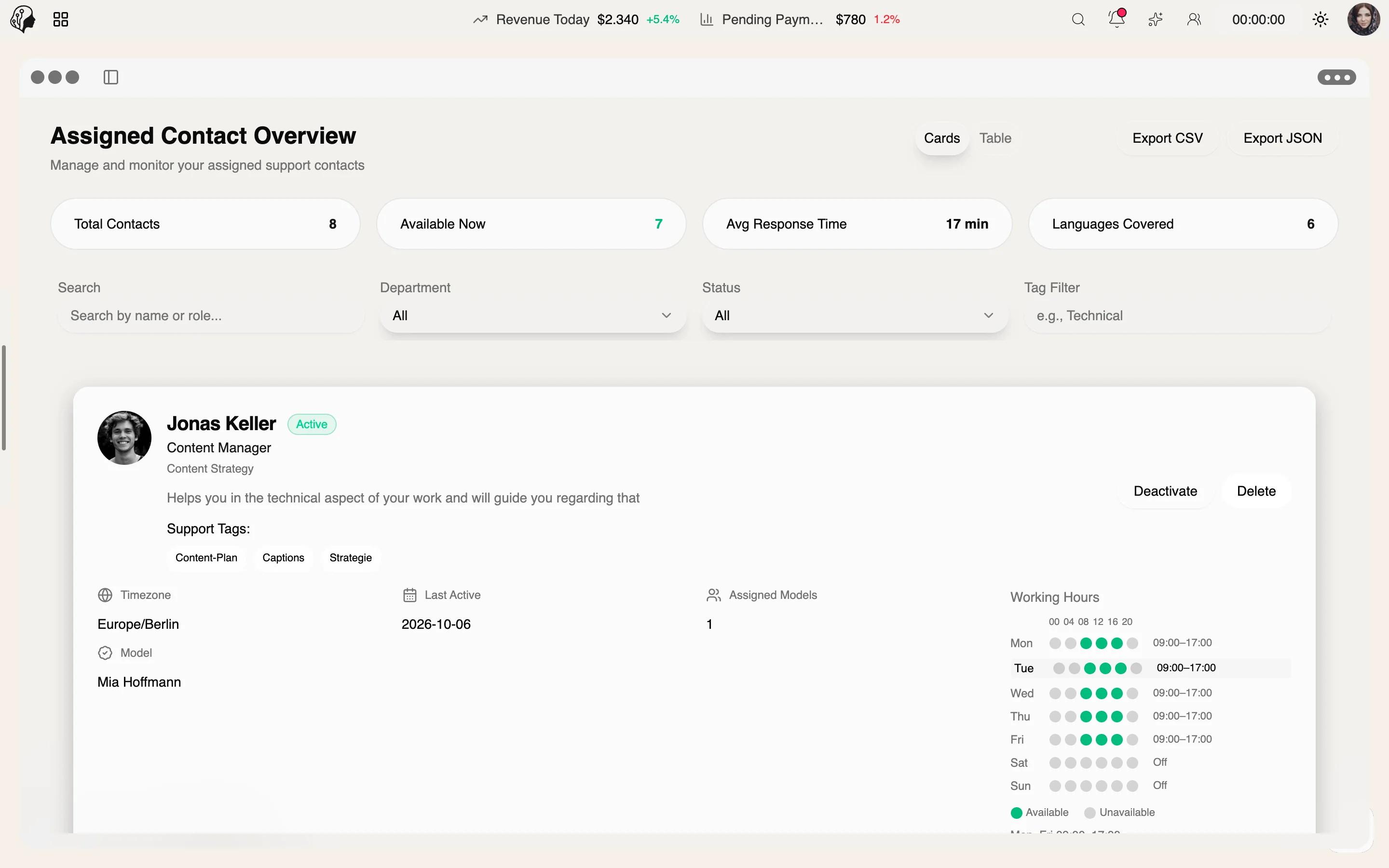
4 features
In detail
What the module does, point by point.
- 01
Directory
Departments, languages, working hours, channels.
- 02
Assignment
Dedicated contacts for each model.
- 03
Model View
Call or message directly.
- 04
Export
As CSV or JSON.
How every model finds the right contact
Three steps · dedicated contacts
- 01
Maintain the directory
Record departments, languages, time zones, working hours and channels of your support team.
- 02
Assign
Give every model dedicated contact persons.
- 03
Reach out
Models find their contacts in the portal and call or message directly.
Questions about the Support Team
How do models know who's in charge?
In their portal: assigned contacts are listed there, with direct call and message buttons.
Does the directory account for time zones?
Yes. Languages, time zones and working hours are stored per person.
Can I export the directory?
Yes, as CSV or JSON.
More from Team & Operations
By Invitation
Experience ModelSuite
A personal tour of the platform – tailored to your agency