Team & Operations
Notes & Editor
Overview
Briefings and notes everyone can find.
Rich-text notes per model with templates for reviews, feedback, contracts and meetings. With priority, visibility (internal or shared), pins, reminders and attachments.
See Notes & Editor live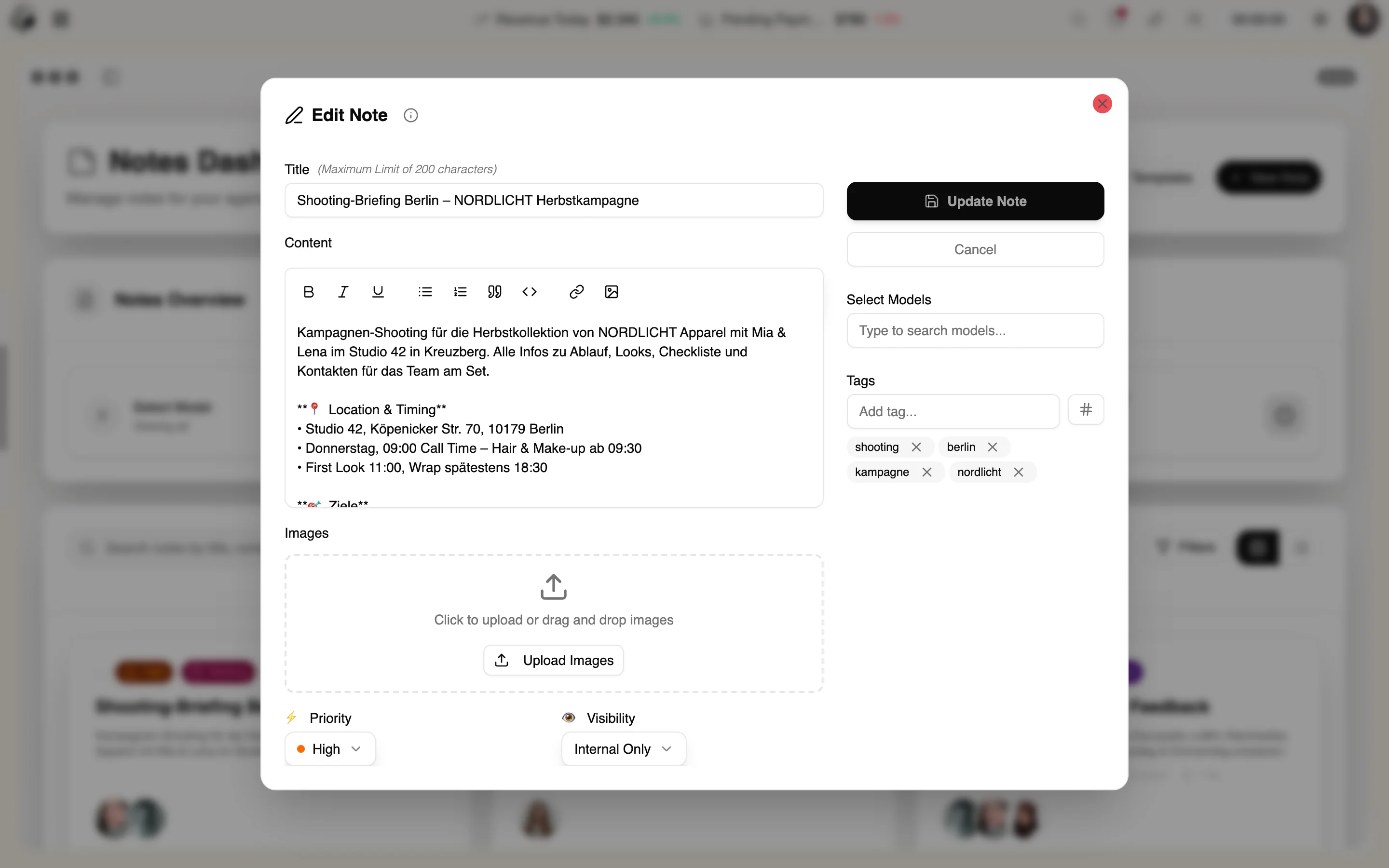
4 features
In detail
What the module does, point by point.
- 01
Rich-Text Editor
Headings, lists, checklists, links and images.
- 02
Templates
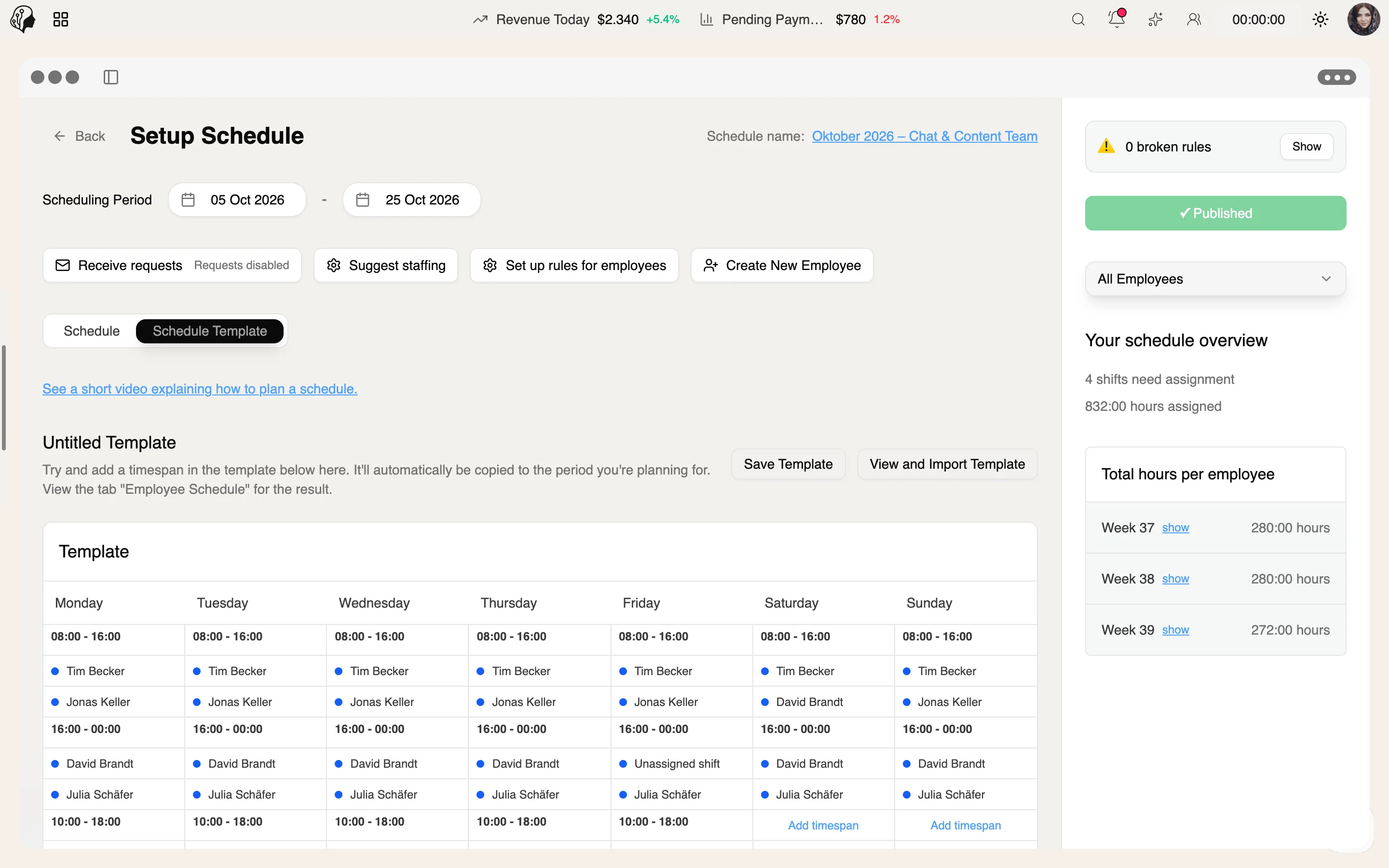
Performance review, feedback, contract, meeting, incident, payments.
- 03
Visibility
Internal only, or shared with the model.
- 04
Easy to Find
Full-text search, tags, categories and pins.
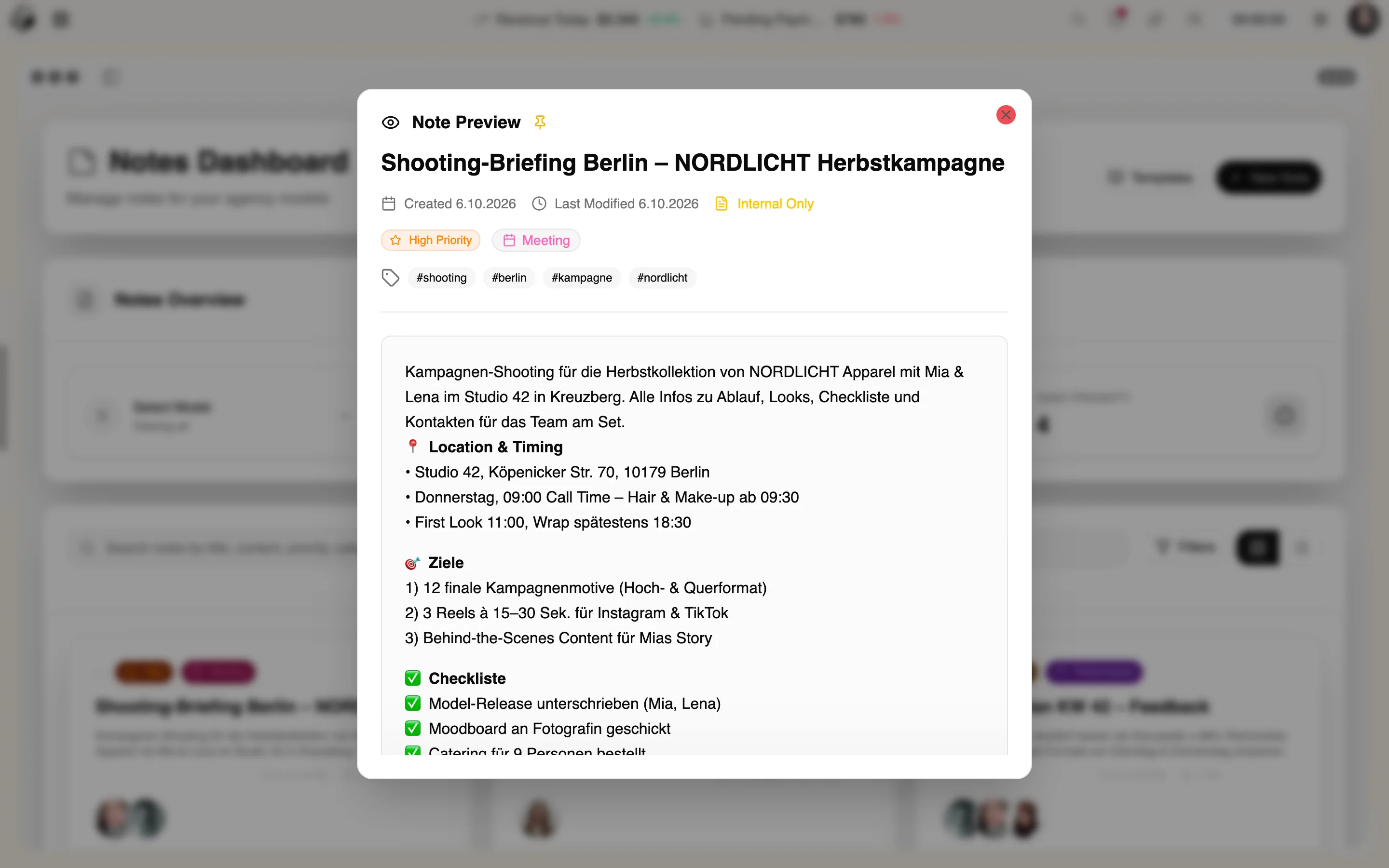
How a note everyone can find is made
Three steps · per model
- 01
Pick a template
Performance review, feedback, contract, meeting, incident or payments – or start blank.
- 02
Write
Rich text with headings, checklists, links, images and attachments; set priority and a reminder.
- 03
Share or keep internal
Set visibility, pin it and find it again via tags and categories.
Questions about Notes & Editor
Does the model see every note?
No. You decide per note: internal only or shared with the model.
Which templates are included?
Performance review, feedback, contract, meeting, incident and payments.
How do I find old notes?
With full-text search, tags, categories and pins.
More from Team & Operations
By Invitation
Experience ModelSuite
A personal tour of the platform – tailored to your agency