Closing the month
Step 01 · Invoice
Step 02 · Review
Step 03 · Pay Out
Step 04 · Check Contracts
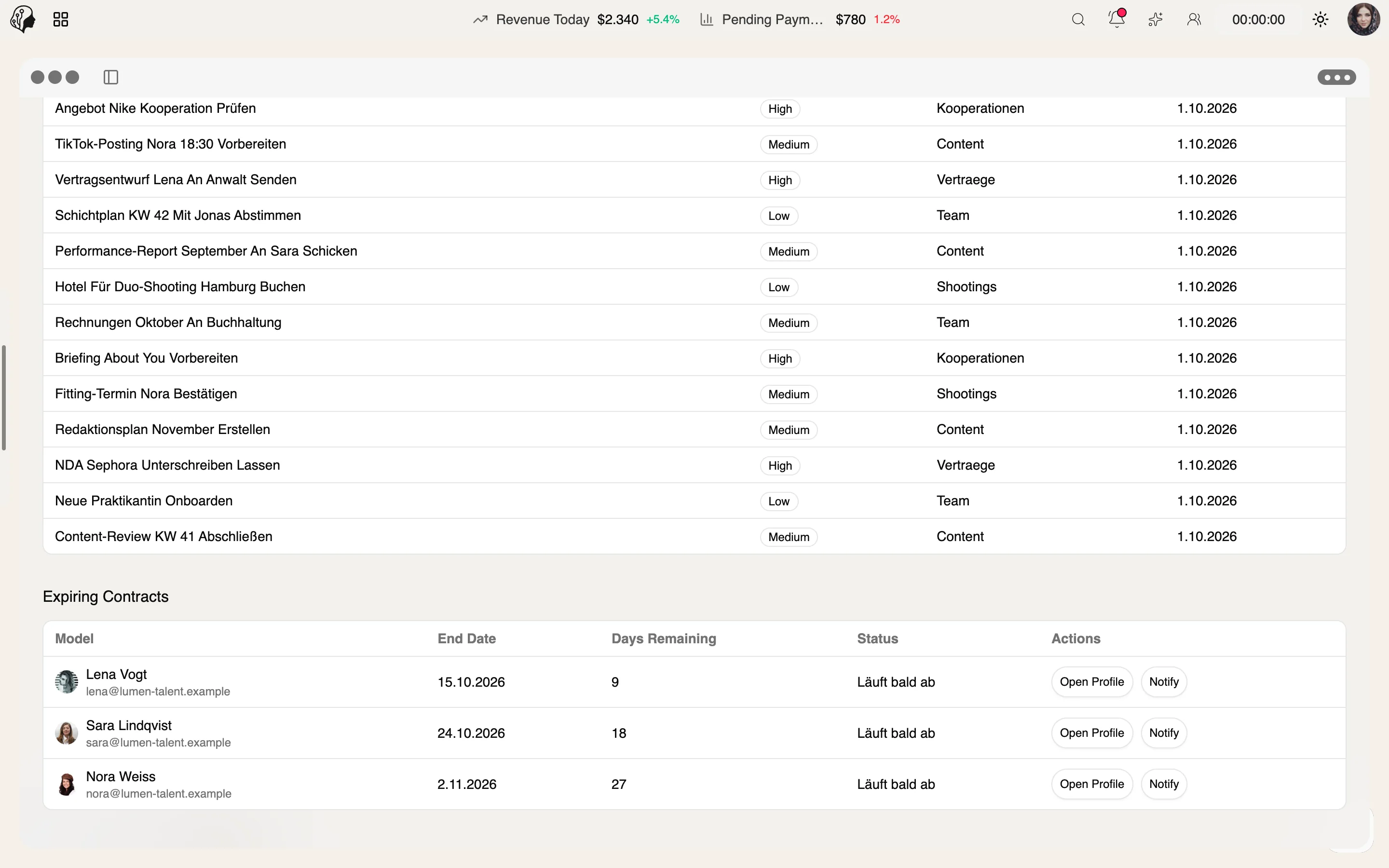
Expiring contracts appear automatically in the Trouble Center – with reminders.
Step 05 · Renew
Step 06 · Align
Talent Management
Overview
Inactive models, expiring contracts and broken media land automatically in one dashboard – with email and SMS templates so you can respond at once.
See Trouble Center live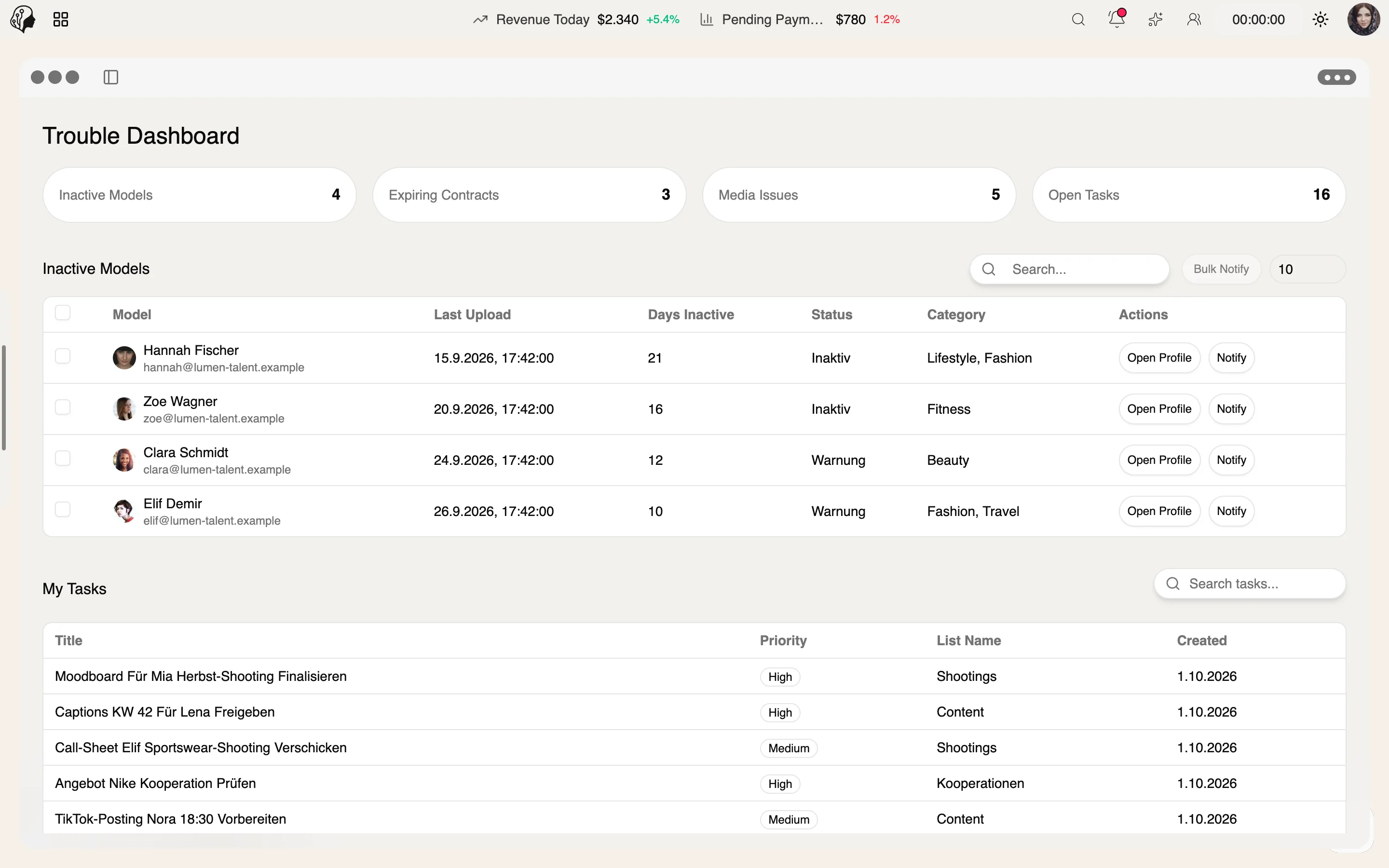
4 features
What the module does, point by point.
Days without activity – with a notification in one click.
Expiring contracts with automatic reminders.
Review and replace unreadable or incorrect files.
Templates with variables for swift outreach.
Three steps · from alert to resolution
Inactive models, expiring contracts and broken media appear in the dashboard automatically.
See days without activity, the contract deadline or the affected file at a glance.
Notify in one click, send an email or SMS template, or replace the file.
Inactive models, expiring contracts and media issues such as unreadable or incorrect files – gathered in one dashboard.
No. Expiring contracts come with automatic reminders.
With email and SMS templates with variables – or a notification in one click.
The agency. It finds problems before they become costly.
Part of these workflows
Where the module shows up in everyday work – step by step.
Step 01 · Invoice
Step 02 · Review
Step 03 · Pay Out
Step 04 · Check Contracts
Expiring contracts appear automatically in the Trouble Center – with reminders.
Step 05 · Renew
Step 06 · Align
By Invitation
A personal tour of the platform – tailored to your agency