ModelSuite · Agency OS
The Art of Talent Management
The platform for distinguished model and creator agencies
A house for your talent
Communication · Content · Talent · Team · Finance
ModelSuite brings everything a modern agency needs into a single, beautifully designed workspace. Messenger and team chat, shoots and content planning, shift schedules, contracts and Lyra AI – for agency, models and team. No disconnected tools, no compromises.
- Modules
- 34
- Portals
- 3
- Widgets
- 20+
- Workspace
- 1

Lifestyle
The life that comes with it
Monaco · Mykonos · Milano · Dubai
Great names are not built between tabs, spreadsheets and appointments. ModelSuite takes over the organising – and your talents live the life they work for.










More reach, more revenue, less admin: what your models earn is decided behind the scenes.
Every image in this gallery is AI-generated and shows no real people – made with the same tools ModelSuite gives your talents.
Three portals
Agency · Models · Team
Every role gets its own workspace – and sees exactly what matters to it.



A guided tour
Five stops · the real interface
Click your way through ModelSuite – from your morning workspace to this week's content plan.
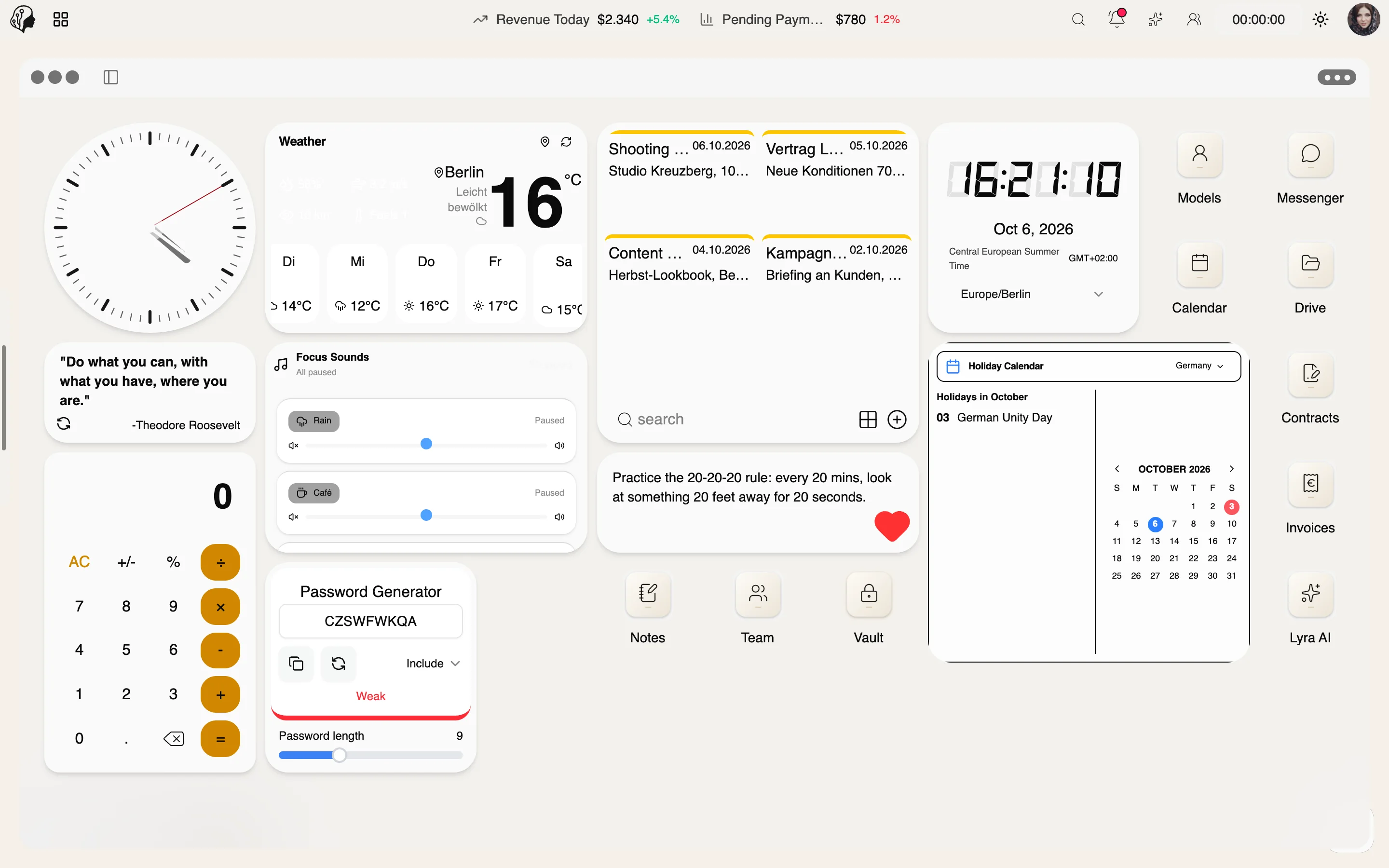
Stop 01 / 05
Your workspace in the morning
Widgets, apps and key figures at a glance – this is how every agency day begins.
Lyra AI
Intelligence with style
Lyra knows the voice of every model: she writes captions, builds personas, finds trends and translates conversations – discreetly embedded where you work.
Lyra AISix areas, one system
Click through the real interface
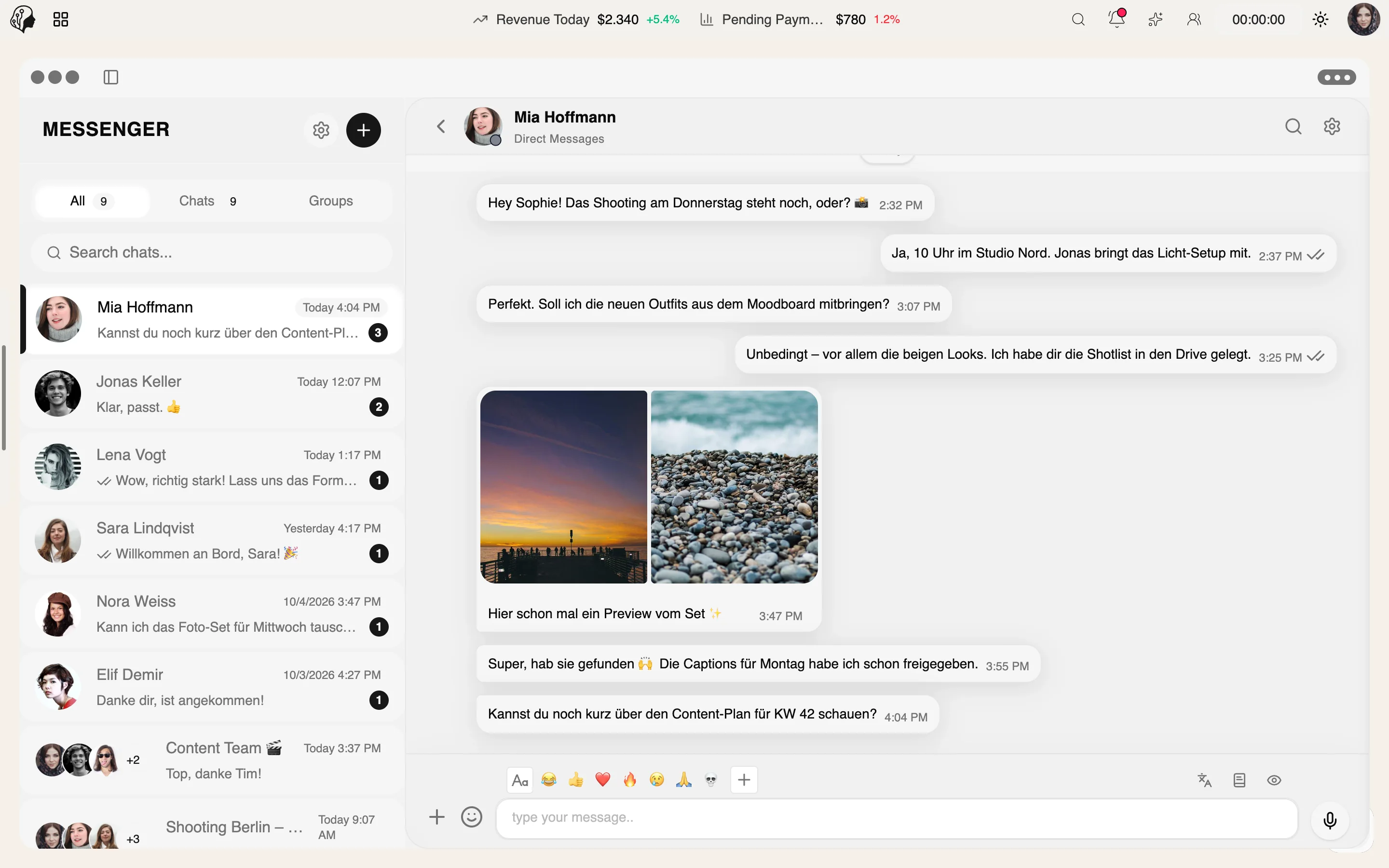
Real-time direct messages and groups – with media, voice notes, templates and automatic translation. Built for the rhythm of an agency, not for casual chat.
Discover MessengerA shoot from start to finish
One flow, six modules, zero disconnects
- 01
- 02
- 03
- 04
- 05
- 06
Discretion
Discretion by default
A client-side encrypted vault, tamper-evident audit logs, lock screen, OTP and finely graded permissions. Your talent's data is in good hands with ModelSuite.
Client-side encrypted vault
Passwords are encrypted in the browser. The server only stores ciphertext – it never decrypts.
2FA codes in the vault
TOTP secrets for authenticator apps on each entry, idle logout and automatic clipboard clearing.
Tamper-evident audit logs
Logs for vault, drive, polls and skill ratings, signed with HMAC.
Questions & answers
What agencies want to know
Who is ModelSuite made for?
For model and creator agencies, talent managers and their teams – from the small boutique agency to the agency with many talents and shift-based operations.
Do models and staff get their own logins?
Yes. Models receive their own portal, staff an account with precisely the permissions of their role. You control which modules are visible.
Do I need an app?
No. ModelSuite runs in the browser on desktop, tablet and smartphone – including voice recordings and video rooms.
What can Lyra AI do?
Lyra writes captions, creates model personas, researches trends, translates chats and analyzes polls. Usage is based on a daily quota.
How secure are credentials in the vault?
Passwords are encrypted in the browser before they are stored – the server only ever sees ciphertext. Access is logged and can be granted per person.
Can I bring my existing data?
Credentials can be imported via CSV, calendars synced through Google and mailboxes connected via OAuth or IMAP. For larger migrations, we support you along the way.
By Invitation
Experience ModelSuite
A personal tour of the platform – tailored to your agency