Onboarding new talent
Step 01 · Invite
Step 02 · Contract
Generate the contract from a PandaDoc template and have it signed.
Step 03 · Capture Details
Step 04 · Persona
Step 05 · Set Up the Portal
Step 06 · Ready
Finance & Contracts
Overview
The Contract Control Center is built on PandaDoc: sync templates, generate documents for models and follow their status from draft to signature.
See Contracts live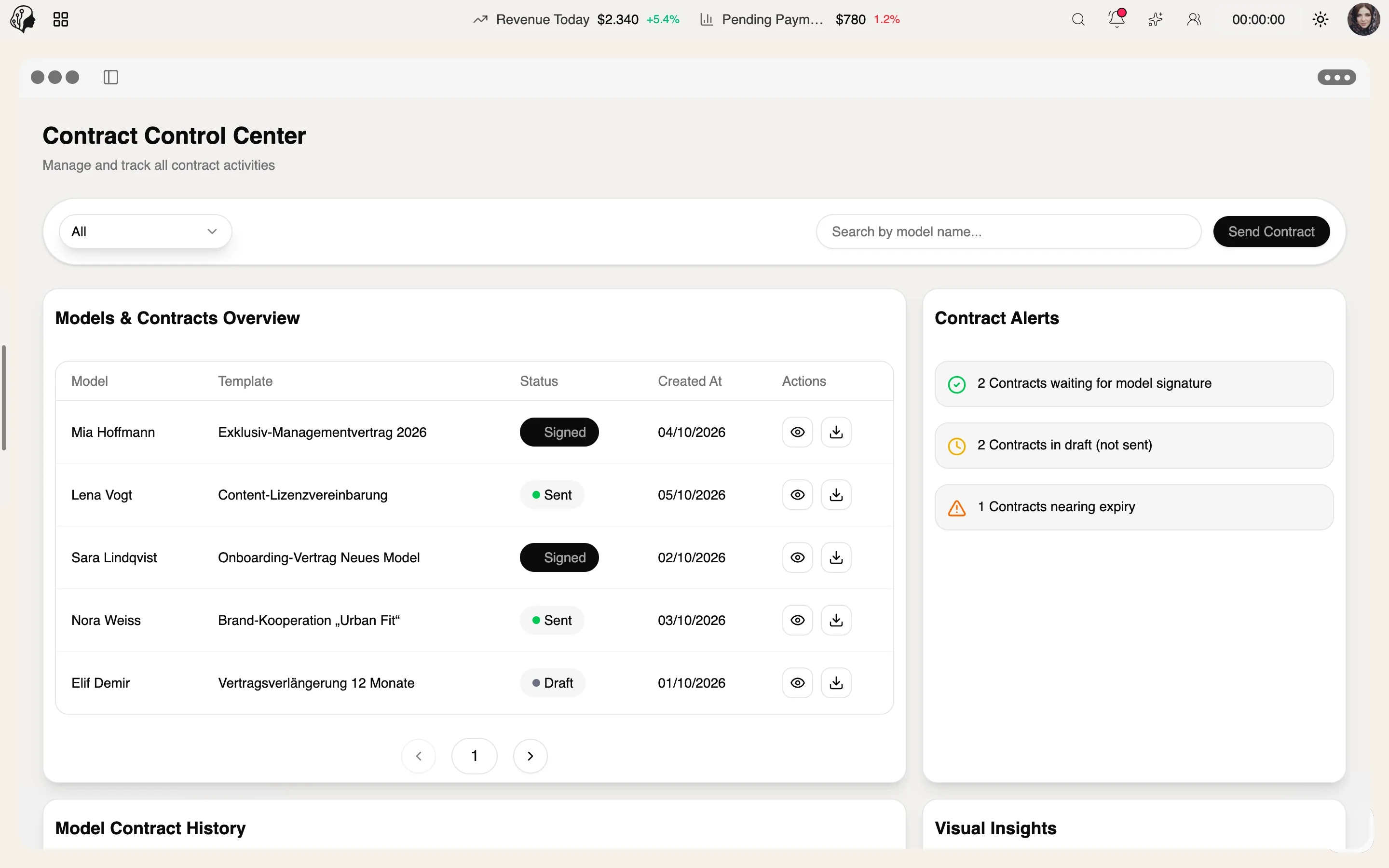
4 features
What the module does, point by point.
Upload or sync from PandaDoc.
Draft, sent, viewed, signed, declined.
Automatic reminders before a contract ends.
Every contract of a talent in one place.
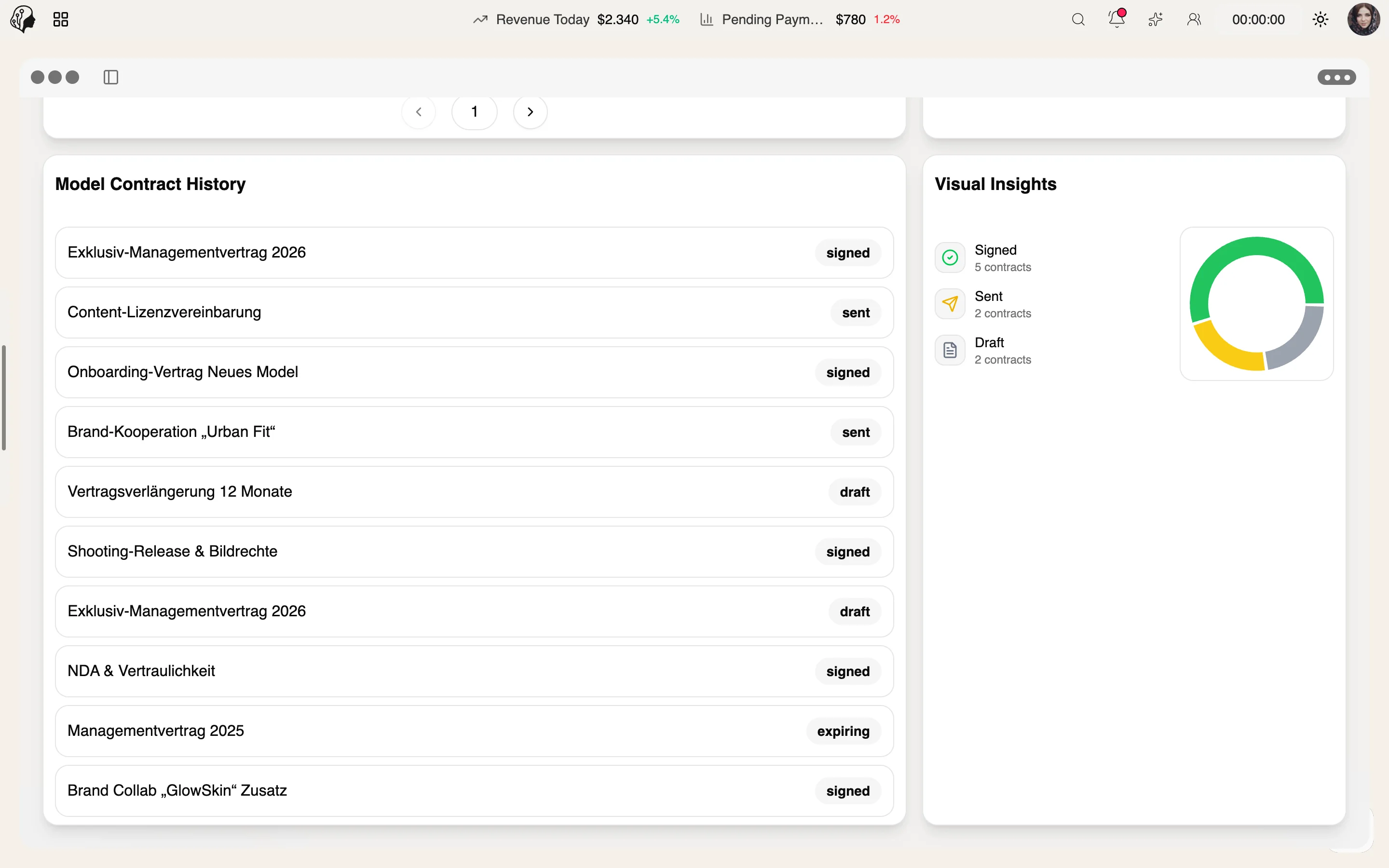
Three steps · from draft to signature
Upload templates or sync them from PandaDoc.
Generate the document for the model and send it for signature.
Follow the status live – from sent to viewed to signed.
On PandaDoc. Upload templates or sync them straight from PandaDoc.
Draft, sent, viewed, signed and declined, so you always know where a contract stands.
No. You receive an automatic reminder before a contract ends.
In the history per model, which keeps every contract of a talent in one place.
Part of these workflows
Where the module shows up in everyday work – step by step.
Step 01 · Invite
Step 02 · Contract
Generate the contract from a PandaDoc template and have it signed.
Step 03 · Capture Details
Step 04 · Persona
Step 05 · Set Up the Portal
Step 06 · Ready
Step 01 · Invoice
Step 02 · Review
Step 03 · Pay Out
Step 04 · Check Contracts
Step 05 · Renew
Send the follow-up contract from a PandaDoc template for signature.
Step 06 · Align
By Invitation
A personal tour of the platform – tailored to your agency