Onboarding new talent
Step 01 · Invite
Step 02 · Contract
Step 03 · Capture Details
A questionnaire on measurements, preferences and social accounts.
Step 04 · Persona
Step 05 · Set Up the Portal
Step 06 · Ready
Communication
Overview
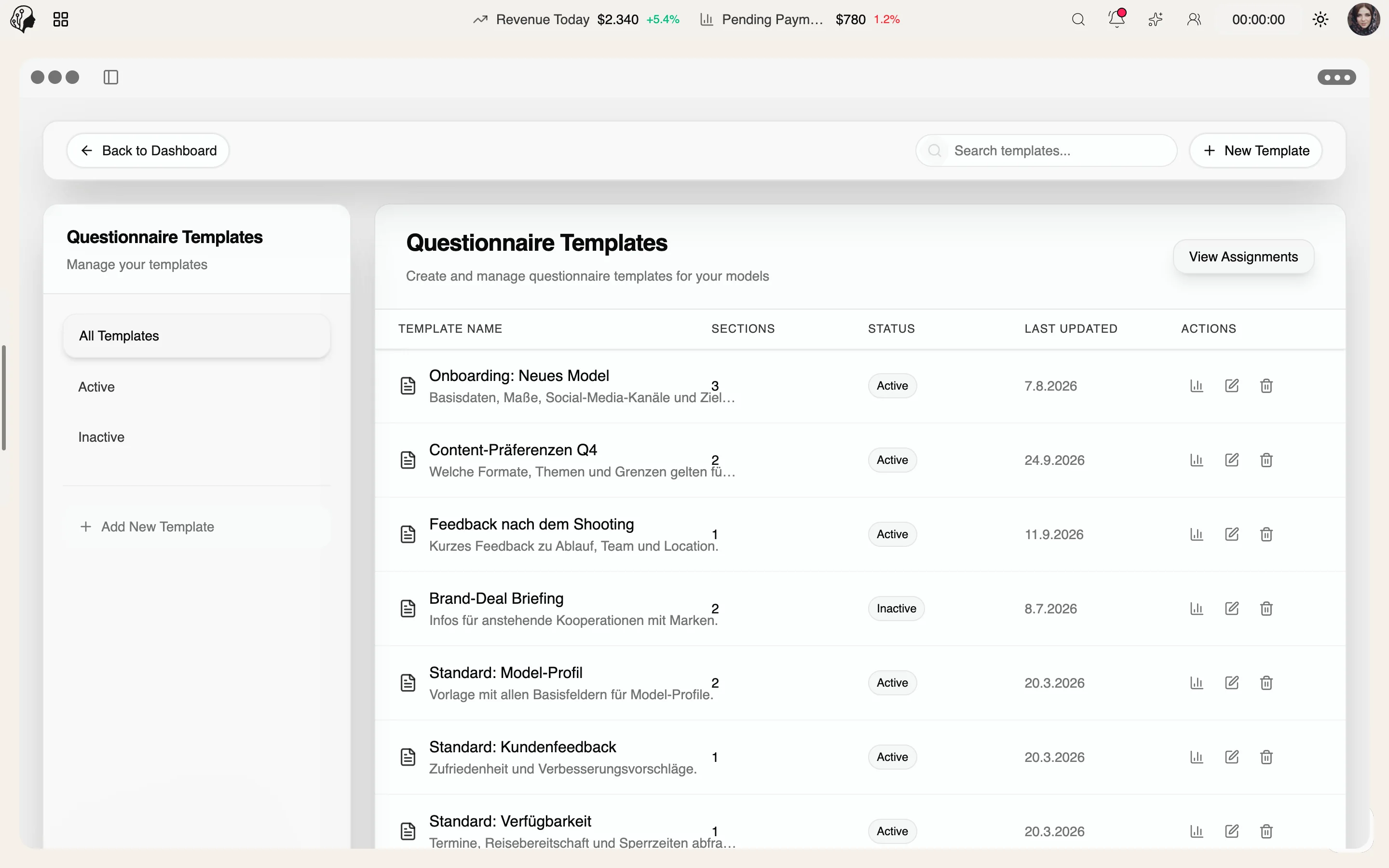
Onboarding details, shoot preferences or feedback: build questionnaires with sections, assign them with a deadline and track progress – models complete them with ease in the portal.
See Questionnaires live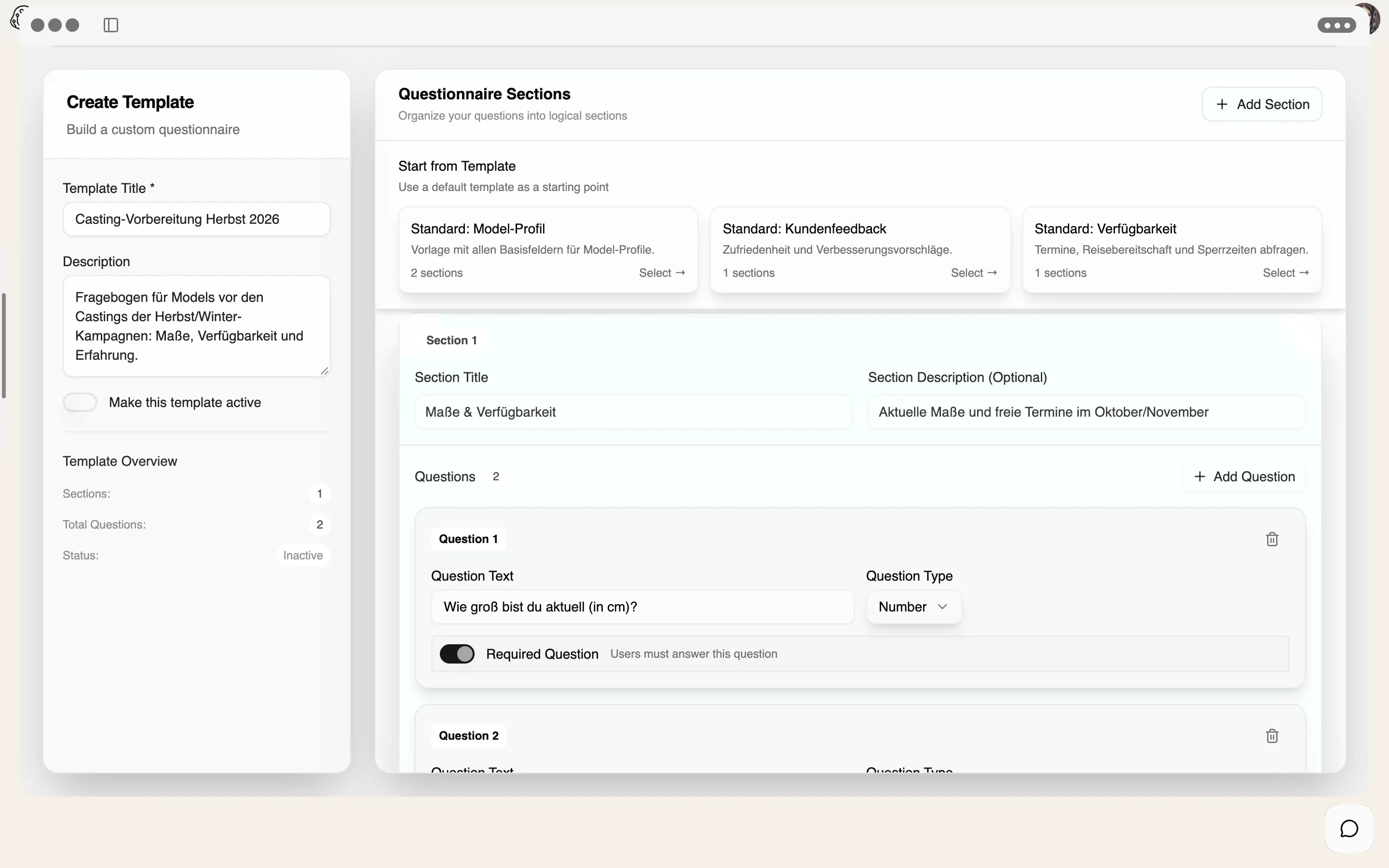
4 features
What the module does, point by point.
Sections, required fields and many field types.
Priority, due date, status: open, submitted, overdue.
Responses per model and insights per template.
Responses as PDF for the record.
Nine field types · required fields · sections
From short text to multiple choice: every question gets the field that fits the answer – so data comes back clean and comparable.
Name, agency, city
Wishes, feedback, notes
Height, dress size, shoe size
Contact for follow-ups
Reachable on set
Availability, birthday
One option out of many
Yes, no, maybe
Platforms, interests
Status always in view
Assigned with priority and due date – the model sees the questionnaire in the portal.
The model has started. Progress is saved, section by section.
Answers are in – viewable per model, exportable as PDF, analysed per template.
Deadline passed: the status flips and the agency sees at once where to follow up.
No attachments, no email threads. The questionnaire opens in the model portal – clear, mobile and at their own pace.
Clear steps with a progress bar instead of one endless list.
Progress is saved on the device – nothing gets lost.
Due date and priority are shown right on every assignment.
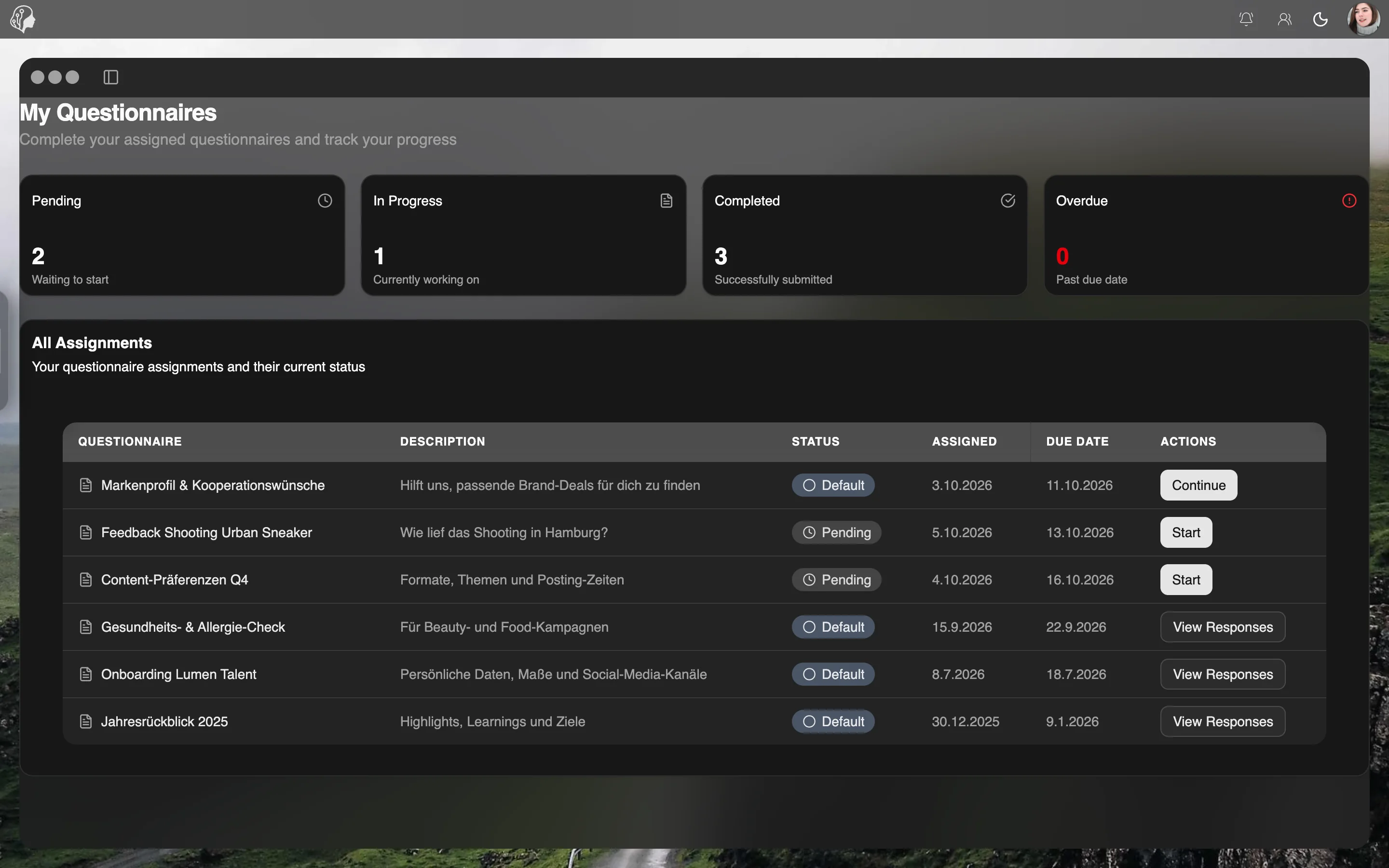
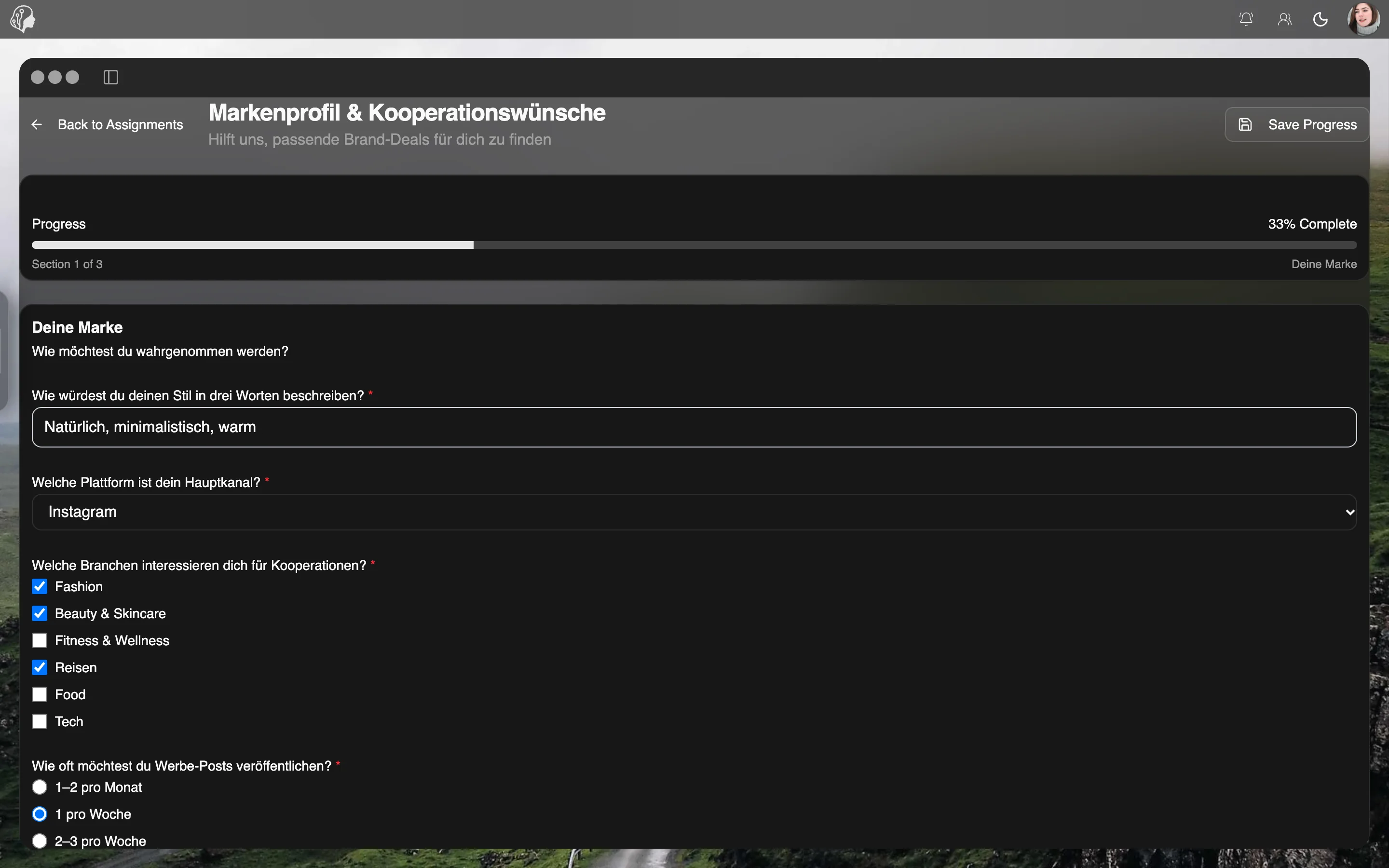
Anything you want to ask in a structured way: onboarding details such as measurements and social accounts, content preferences, feedback after a shoot or the briefing for a brand deal.
Yes. Build a template once and assign it as often as you like – to individual models, each with its own deadline and priority. Templates can be set active or inactive.
The assignment is automatically marked as overdue. Filter the overview by status and see at once where answers are still missing.
Per model you see all answers at a glance, per template the analysis across all models. Export individual responses as PDF for the record.
Part of these workflows
Where the module shows up in everyday work – step by step.
Step 01 · Invite
Step 02 · Contract
Step 03 · Capture Details
A questionnaire on measurements, preferences and social accounts.
Step 04 · Persona
Step 05 · Set Up the Portal
Step 06 · Ready
By Invitation
A personal tour of the platform – tailored to your agency