Onboarding new talent
Step 01 · Invite
Step 02 · Contract
Step 03 · Capture Details
Step 04 · Persona
Lyra creates the model's content persona.
Step 05 · Set Up the Portal
Step 06 · Ready
Lyra AI · Content & AI
Overview
From profile and content, Lyra creates a persona for every model: tone, topics, no-gos. Versioned, rated and the foundation for all AI-written text.
See Lyra Persona live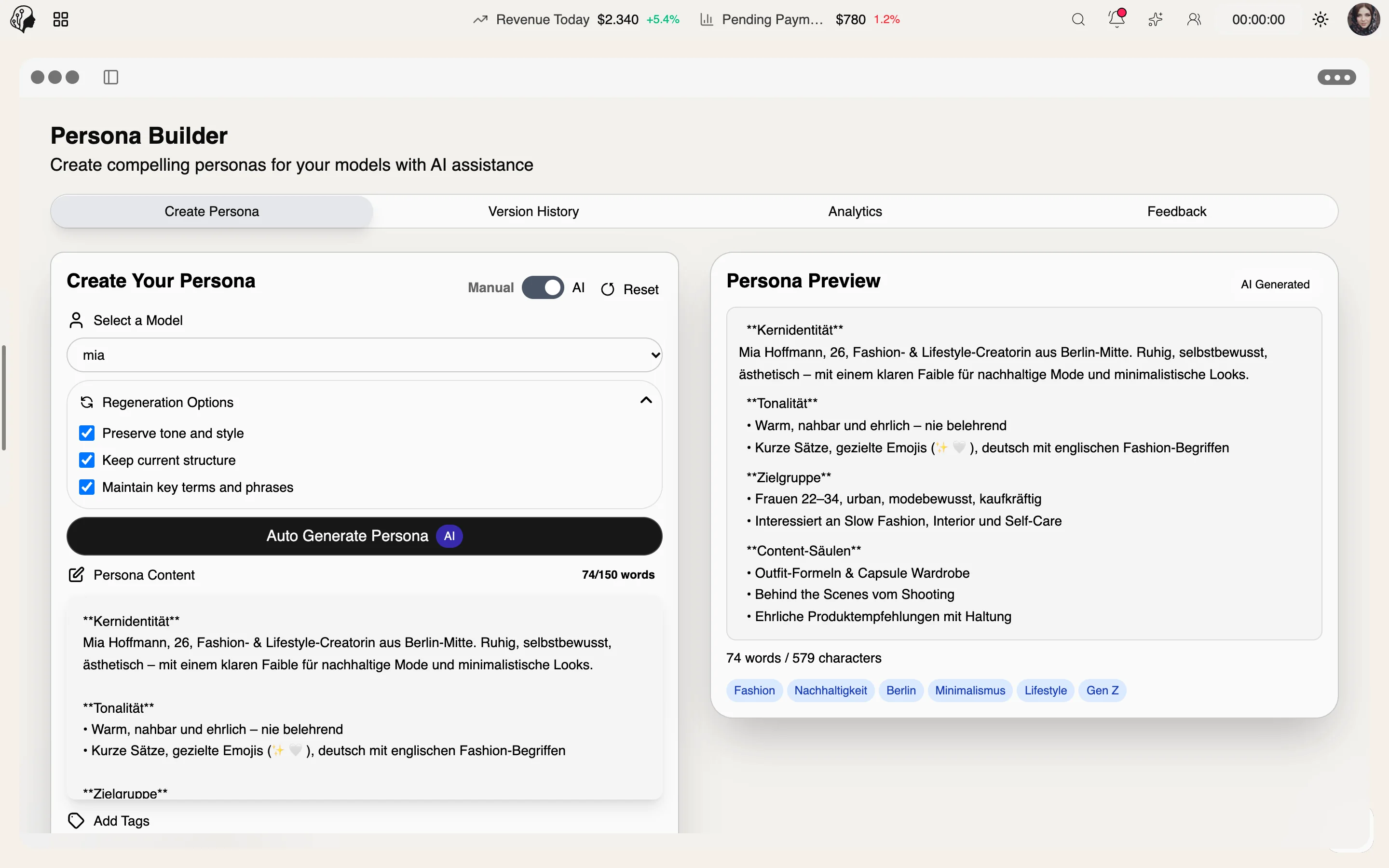
4 features
What the module does, point by point.
Generate a persona in one click, or write it by hand.
Compare changes and regenerate selectively.
Accuracy, brand fit, completeness, usefulness.
Ratings shape the next version.
Tone · Topics · Audience · Signature · No-gos
A persona is a model's voice profile. Lyra captures how they write, what they talk about and what is never said – the foundation for every AI-written text.
Without persona · With persona
Same image, same request. Without a persona, Lyra writes something solid but interchangeable. With the sample persona above, the caption sounds like the model.
Shot: beach, evening light, suitcase in the sand
Beautiful day at the beach! ☀️🌊 Enjoy the summer! #beach #summer #goodvibes #model #vacation
Packed three outfits, wore one. Classic me 😅 What's the one thing your holiday suitcase can't do without?
Applied from the persona
Learn · Generate · Refine
Lyra reads the model's profile, questionnaire and existing content.
One click creates the persona – or write it yourself.
Ratings shape the next version; every change stays comparable.
Four dimensions per version
Every version is rated, so you can see whether a new persona beats the old one – before it writes a single caption.
Does the persona match how the model really writes?
Does it suit the model's and the agency's image?
Are tone, topics and no-gos all covered?
Does it noticeably help when writing texts?
The agency. It maintains a persona per model; Lyra uses it whenever AI texts are written in persona mode.
Yes. Lyra generates a draft you can edit freely, or you can create the persona entirely by hand.
They are kept. Versions can be compared and selectively regenerated.
As the foundation for AI texts, above all captions in persona mode – so every post sounds like the model.
Part of these workflows
Where the module shows up in everyday work – step by step.
Step 01 · Invite
Step 02 · Contract
Step 03 · Capture Details
Step 04 · Persona
Lyra creates the model's content persona.
Step 05 · Set Up the Portal
Step 06 · Ready
By Invitation
A personal tour of the platform – tailored to your agency