A day with the team
Step 01 · Clock In
Step 02 · Catch Up
Step 03 · Align
Step 04 · Work
Tasks, emails and chats, with logins from the vault.
Step 05 · Review
Step 06 · Report
Team & Operations
Overview
Personal lists in the style of Apple Reminders and Kanban boards per model – with priorities, labels, comments, attachments and pausing with a stated reason.
See Tasks & Boards live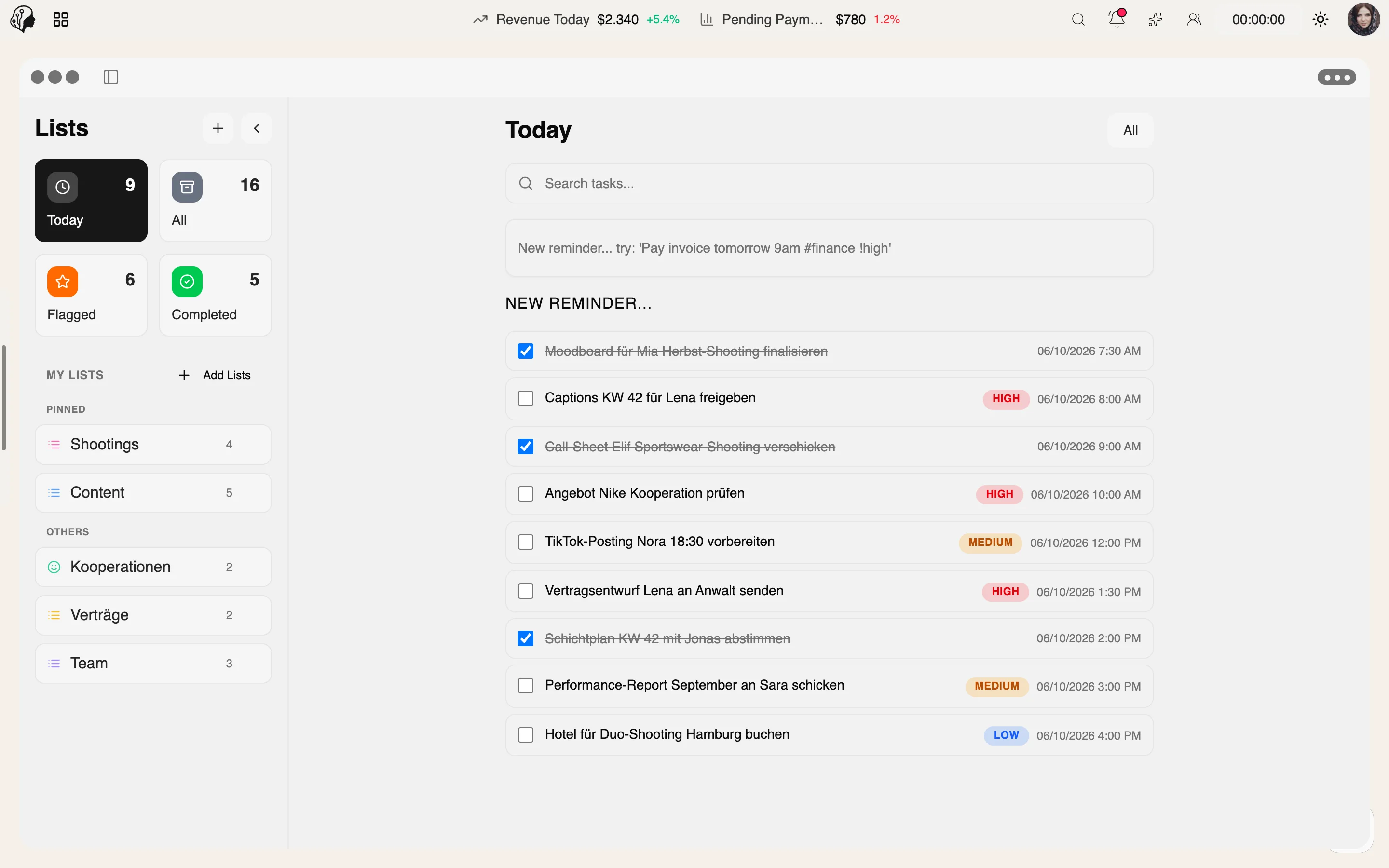
4 features
What the module does, point by point.
Today, Flagged, Completed – with subtasks and repeats.
Columns, cards, backgrounds – like Trello, only integrated.
Comments, attachments, due dates.
Models complete their tasks in the portal.
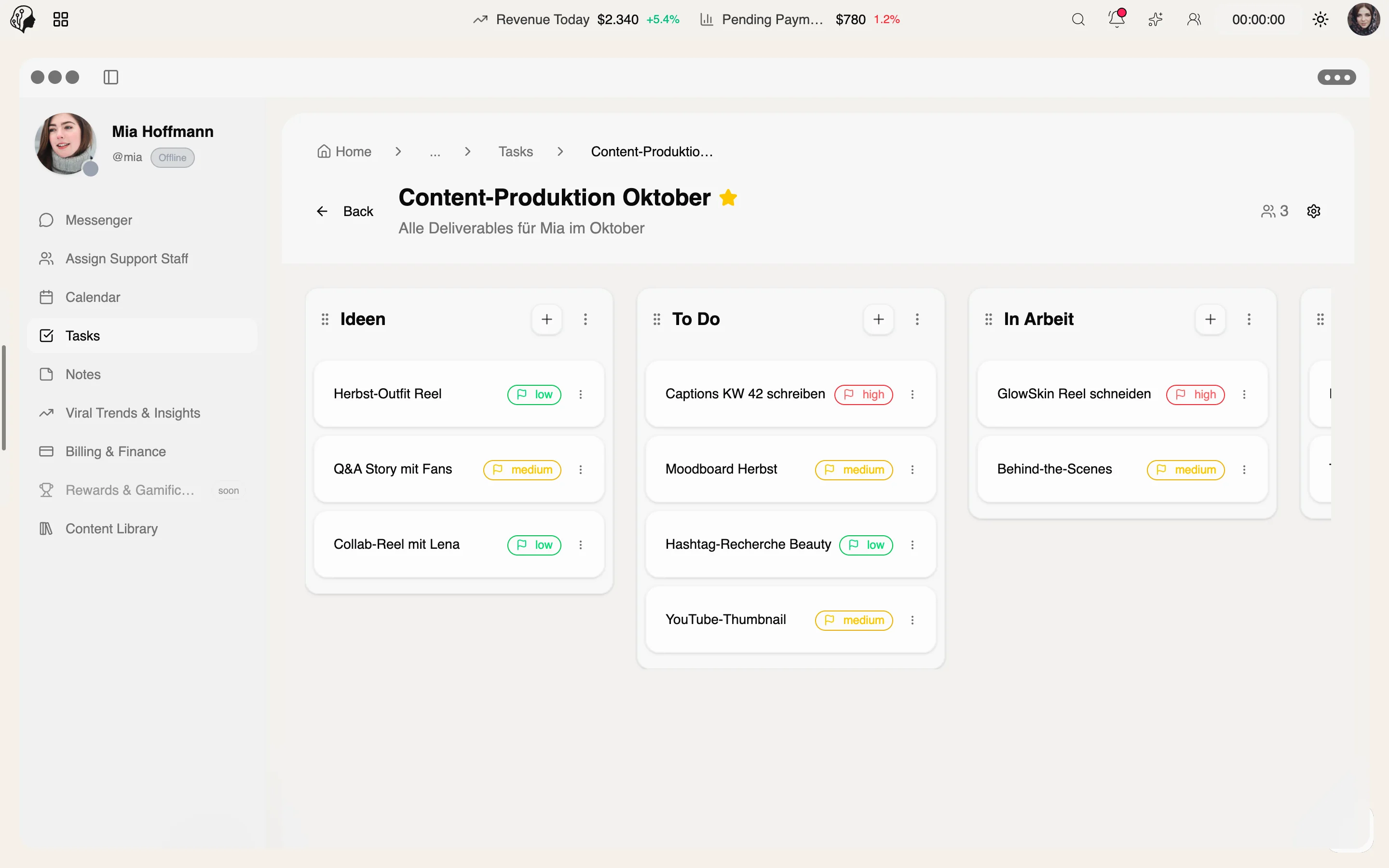
Three steps · from list to board
Add tasks to smart lists – Today, Flagged, Completed, with subtasks and repeats.
Run a Kanban board per model with columns, cards, priorities and labels.
Work together with comments, attachments and due dates – models complete their tasks in the portal.
Like Apple Reminders: smart lists for Today, Flagged and Completed, with subtasks and repeats.
No. Boards with columns, cards and backgrounds are built in – one per model.
Yes. Tasks can be paused, always with a stated reason.
Yes. Models complete their tasks in their own portal.
Part of these workflows
Where the module shows up in everyday work – step by step.
Step 01 · Clock In
Step 02 · Catch Up
Step 03 · Align
Step 04 · Work
Tasks, emails and chats, with logins from the vault.
Step 05 · Review
Step 06 · Report
By Invitation
A personal tour of the platform – tailored to your agency