A shoot from start to finish
Step 01 · Plan
Step 02 · Prepare
Step 03 · Align
Step 04 · Collect
Submit images and videos via Content Upload.
Step 05 · Refine
Step 06 · Publish
Content & AI
Overview
Create upload categories with instructions and deadlines. Models upload, your team approves or requests changes – and moves everything to Drive in a single click.
See Content Upload & Review live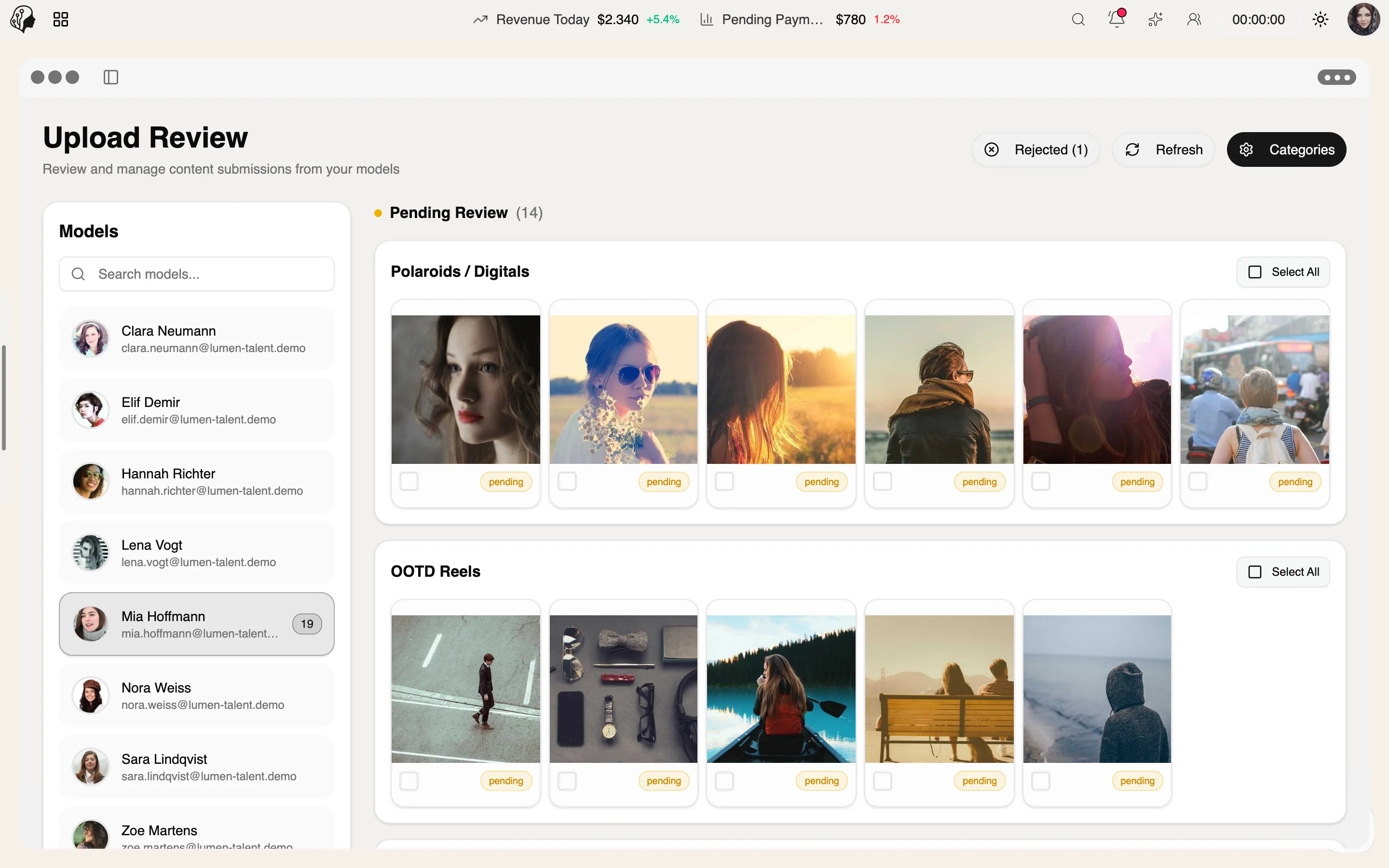
4 features
What the module does, point by point.
With instructions, color and a watermark requirement.
Approve or decline with feedback – in bulk, too.
Nudge overdue uploads in one click.
Corrupt or incorrect files are detected automatically.
Content Upload in both views
Upload and review are now available in both the agency and model views.
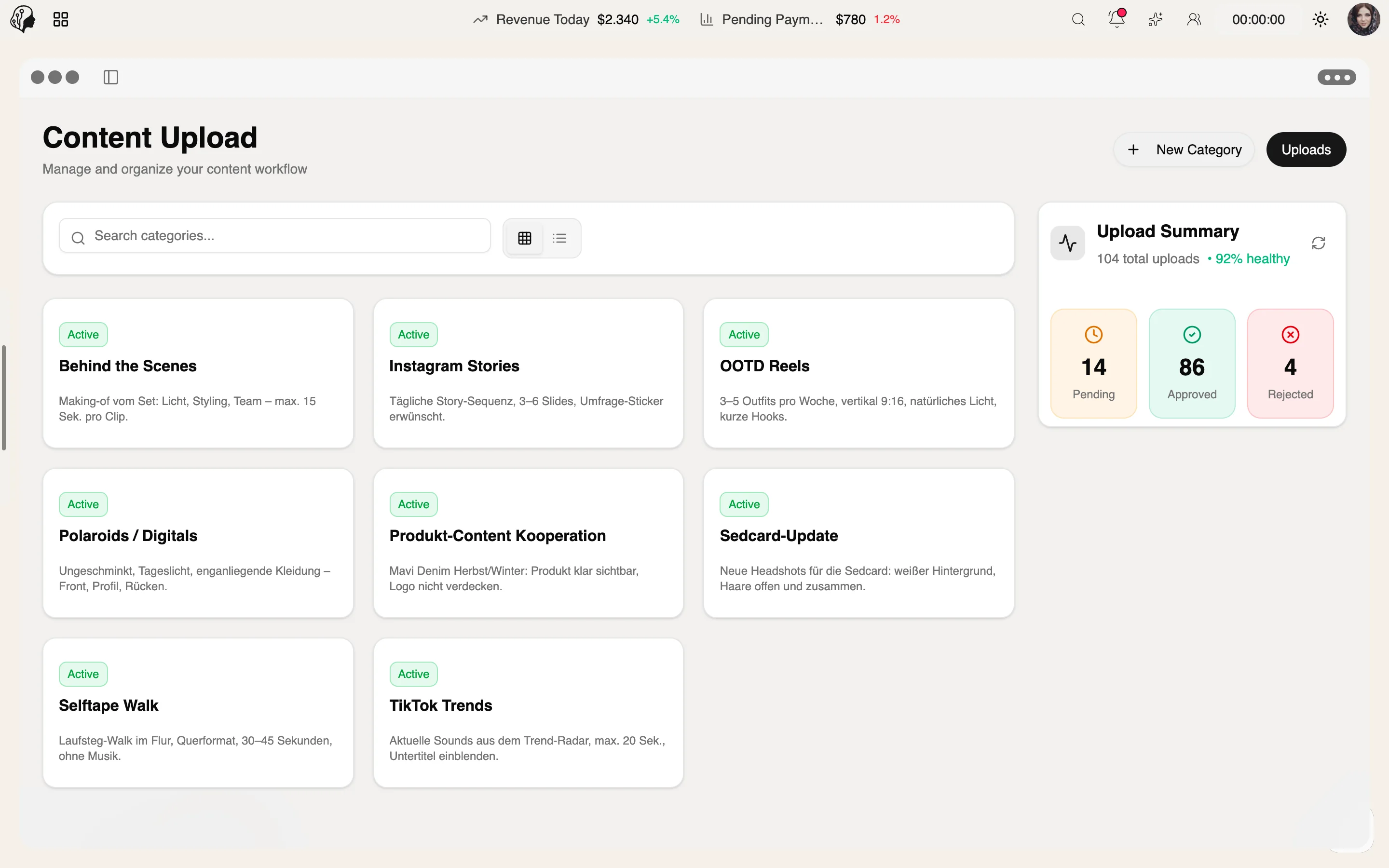
Three steps · no file chaos
With instructions, colour, deadline and an optional watermark requirement.
Models upload in their portal – broken or wrong files are detected automatically.
Approve or reject with feedback in the review queue, in bulk too – then send everything to the Drive in one click.
You see overdue uploads immediately and can nudge the model with one click.
Yes. The review queue supports bulk approval and rejection – feedback goes straight to the model.
An integrity check detects broken or wrong files automatically, before they reach review.
Part of these workflows
Where the module shows up in everyday work – step by step.
Step 01 · Plan
Step 02 · Prepare
Step 03 · Align
Step 04 · Collect
Submit images and videos via Content Upload.
Step 05 · Refine
Step 06 · Publish
Step 01 · Clock In
Step 02 · Catch Up
Step 03 · Align
Step 04 · Work
Step 05 · Review
Approve uploads, check the Trouble Center.
Step 06 · Report
Step 01 · Research
Step 02 · Plan
Step 03 · Collect
The model uploads images and videos to the right upload category.
Step 04 · Refine
Step 05 · Write
Step 06 · Check
By Invitation
A personal tour of the platform – tailored to your agency