Communication
Polls
Overview
Feedback from every model – with AI analysis.
Create polls with multiple choice, ratings and free text, schedule delivery and analyze results automatically – including sentiment analysis and frequent terms.
See Polls live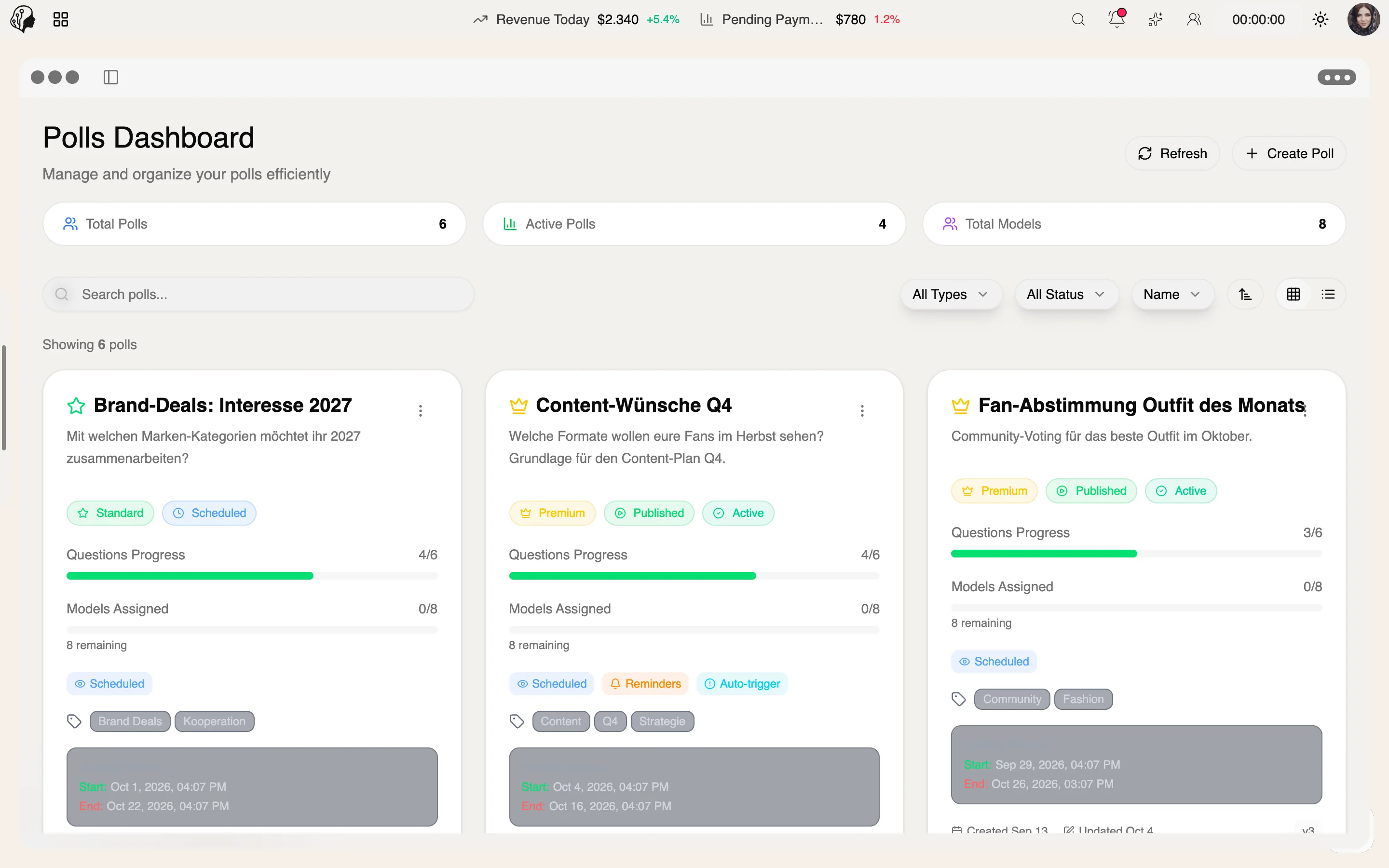
4 features
In detail
What the module does, point by point.
- 01
Poll Builder
Question types, banners, backgrounds and drafts.
- 02
Schedule & Assign
Timed delivery to individual models or groups.
- 03
Sentiment Analysis
Positive, neutral, negative – plus keyword insights.
- 04
Export
Results as CSV or JSON.
Four question types, one clear picture
Your own questions or presets
Quick to ask, quick to answer: models vote in seconds – you get answers you can count, compare and analyse.
- 01
Single choice
Which shoot day suits you?
- 02
Checkboxes
Which platforms are you active on?
- 03
Rating 1–5
How satisfied were you with the last shoot?
- 04
Short text
What could we do better?
Try it: pick an answer – the result appears instantly.
Draft, schedule, publish
With reminders until the deadline
- 01
Draft
Design questions, banner and background – save and continue later.
- 02
Scheduled
Set date and time, assign models or groups, set a deadline.
- 03
Published
The poll appears in the model portal. Reminders collect missing votes.
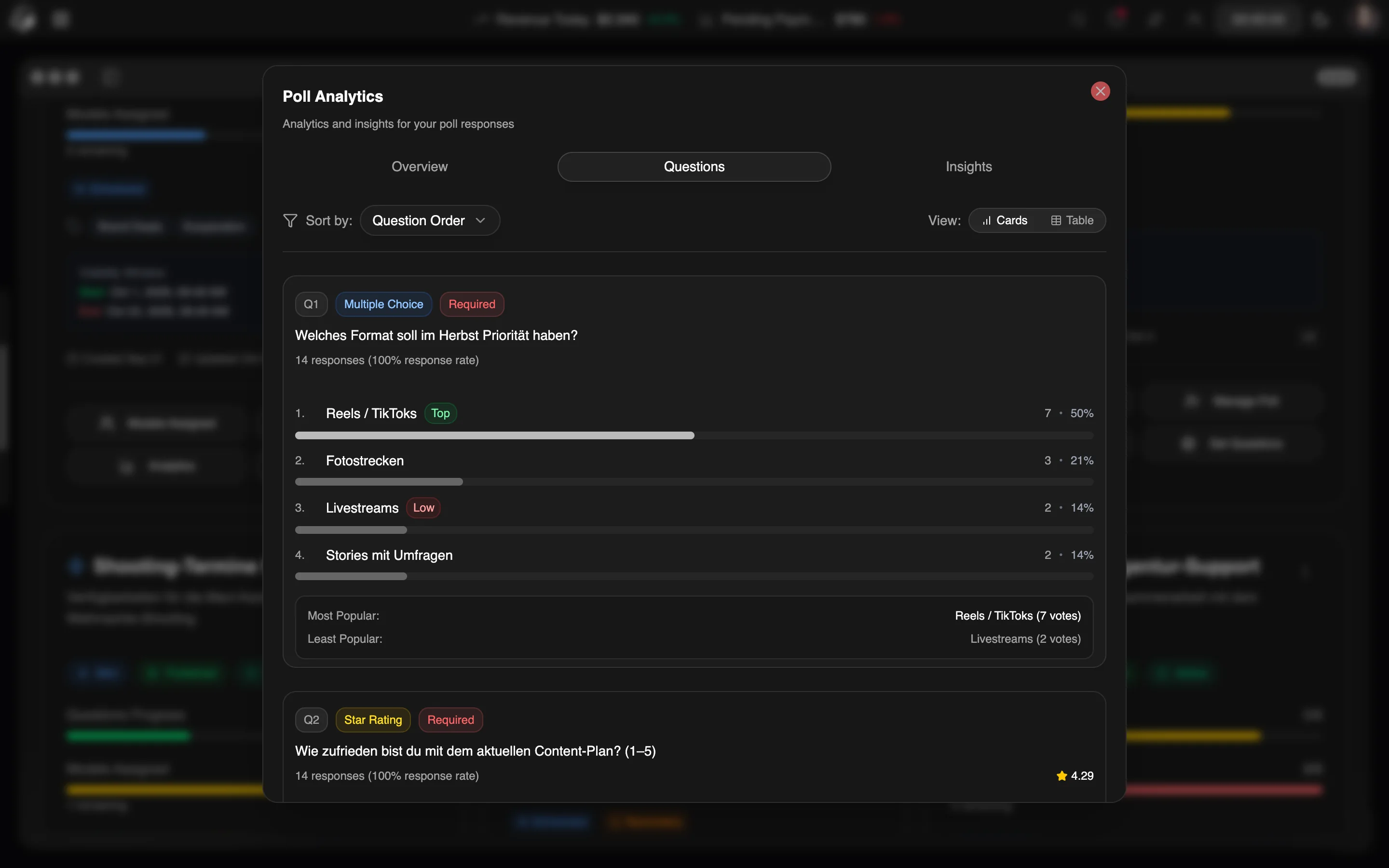
Analysis on three levels
From a quick overview to the mood in free-text answers – and when you need to go deeper, as CSV or JSON in your own tools.
Overview
Participation, response rate and distribution per question at a glance.
Detailed
Every question on its own, every answer traceable.
Insights
Sentiment in free text – positive, neutral, negative – plus frequent terms.
Questions about polls
How do polls differ from questionnaires?
Polls are short and built for many votes – ideal for feedback and decisions. Questionnaires capture detailed, structured information from individual models, for example during onboarding.
Can I schedule a poll?
Yes. Set date and time, assign individual models or groups and set a deadline. Automatic reminders can prompt participation if you wish.
How does the sentiment analysis work?
Free-text answers are classified as positive, neutral or negative, and frequent terms are highlighted – so you spot trends without reading every answer.
Can I reuse the results?
Yes. All responses can be exported as CSV or JSON – for spreadsheets, reports or your own analysis.
More from Communication
By Invitation
Experience ModelSuite
A personal tour of the platform – tailored to your agency